
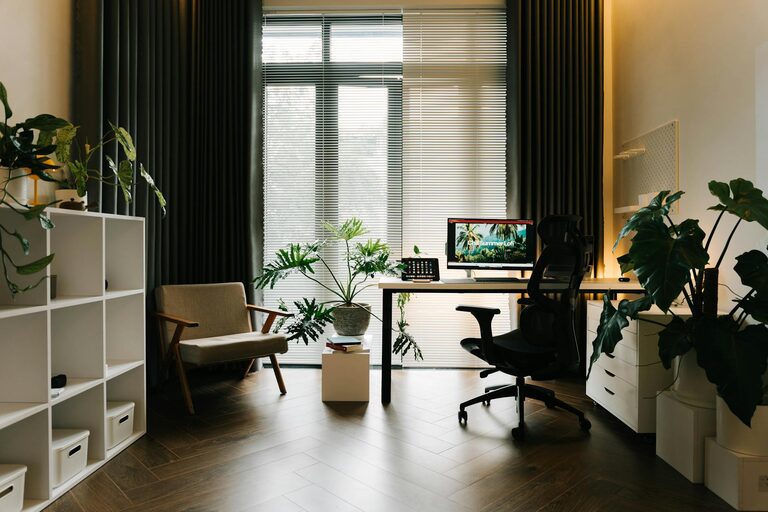
Creating a home office that combines comfort with productivity is essential for anyone working remotely or managing tasks from home. A well-designed workspace can boost focus, reduce stress, and make long hours more enjoyable. Whether you have a dedicated room or a small corner, these tips will help you create a cozy and effective home office setup.
Choose the Right Location
Consider Natural Light
Natural light can significantly impact your mood and energy levels. Place your desk near a window if possible, so you benefit from daylight. Avoid glare on your screen by positioning your desk perpendicular to the window rather than facing it directly.
Minimize Distractions
Select a quiet spot with minimal foot traffic. If space is limited, try using room dividers, curtains, or noise-cancelling headphones to reduce background noise and distractions.
Invest in Comfortable Furniture
Ergonomic Chair and Desk
Comfort is key for long work sessions. Choose an ergonomic chair that supports your back and encourages good posture. Adjustable desks, especially sit-stand options, allow you to switch positions throughout the day and reduce fatigue.
Proper Desk Size
Your desk should have enough space for your computer, accessories, and work materials. Avoid clutter by selecting a desk with built-in storage or pairing it with organizers.
Organize and Declutter
Use Storage Solutions
Keep your workspace tidy with shelves, filing cabinets, or boxes. Label storage containers to find items easily. A clean desk helps clear your mind and improves focus.
Cable Management
Tidy cables with clips, sleeves, or under-desk trays to prevent tangles and free up space. Organized wiring also makes your office look neat and professional.
Personalize Your Workspace
Add Greenery
Plants can improve air quality and create a calming atmosphere. Choose low-maintenance varieties like succulents or snake plants if you don’t have a green thumb.
Include Personal Touches
Decorate with items that inspire you, such as pictures, artwork, or motivational quotes. However, avoid overcrowding your space to maintain a balanced and distraction-free environment.
Optimize Lighting
Combine Ambient and Task Lighting
Good lighting reduces eye strain. Use a mix of ambient lighting (overhead lamps) and task lighting (desk lamps) to illuminate your workspace evenly.
Adjustable Lighting
Consider lamps with adjustable brightness and color temperature. Cooler lights help with focus, while warmer tones create a cozy environment during breaks.
Manage Technology Efficiently
Invest in Quality Equipment
A reliable computer and accessories such as a mouse, keyboard, and headset can enhance comfort and productivity. Consider noise-cancelling headphones if you’re in a noisy environment.
Maintain a Strong Internet Connection
Ensure your Wi-Fi is stable and fast enough for video calls, uploading, and downloading files. Position your router close to your workspace or use a wired connection if possible.
Develop a Routine and Boundaries
Set Working Hours
Define clear working times to separate professional tasks from personal life. Communicate your availability to family or roommates.
Take Breaks
Schedule short breaks to stretch, hydrate, and rest your eyes. Using techniques like the Pomodoro method can improve productivity and prevent burnout.
Keep It Flexible
Multi-Function Spaces
If your home office doubles as another room (like a guest room or a hobby area), use foldable furniture or mobile storage units to keep things adaptable.
Regularly Refresh Your Setup
Rearranging your workspace or adding new elements can keep your motivation high. Don’t hesitate to change things up as your needs evolve.
—
By combining thoughtful design, comfort, and organisation, your home office can become a space where you enjoy working and stay productive. Remember, the key is to tailor your environment to suit your habits and preferences, making your daily tasks feel less like work and more like a positive experience.