
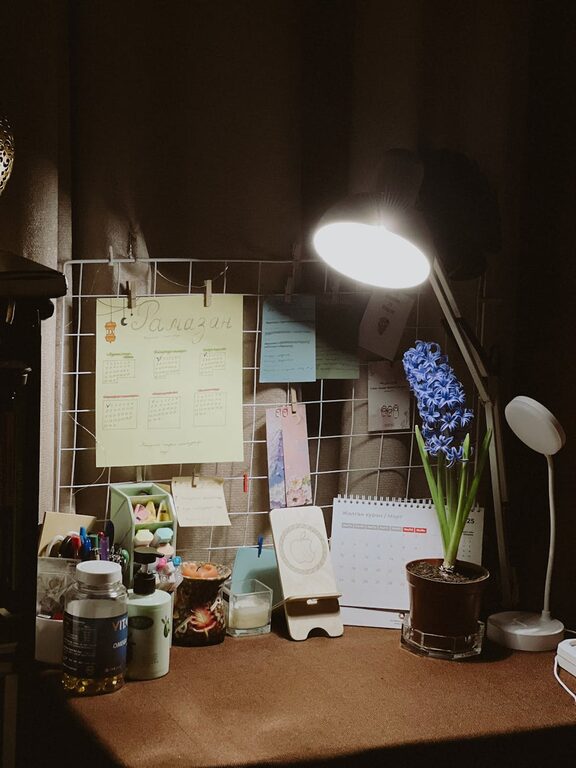
Creating a cozy and inviting home workspace is essential for anyone spending hours working from home. A well-designed area can improve focus, reduce stress, and even boost creativity. Whether you have a dedicated room or just a small corner, these tips will help you shape a space where you enjoy spending time.
Choose the Right Location
Consider Natural Light
Try to set up your workspace near a window. Natural light enhances mood and energy levels, making it easier to stay alert and motivated. If natural light is limited, use lamps with daylight bulbs to mimic the effect.
Quietness Matters
Pick a spot with minimal distractions and noise. If this is difficult, noise-cancelling headphones or a white noise machine can help you create a peaceful environment.
Comfortable and Functional Furniture
Invest in a Good Chair
A comfortable, ergonomic chair supports your back and prevents fatigue. Adjustability is key—look for height, armrest, and lumbar support options.
Desk Size and Height
Choose a desk that fits your needs without crowding the space. The ideal height allows both your feet to rest flat on the floor and your arms to bend comfortably while typing.
Personal Touches for Warmth
Soft Textiles
Add cushions, a cozy throw blanket, or a textured rug to soften your workspace. These elements create a welcoming atmosphere and add warmth.
Plants and Greenery
Indoor plants not only improve air quality but also add life and colour to your workspace. Low-maintenance options like succulents or snake plants are perfect if you don’t have a green thumb.
Artwork and Decor
Hang artwork or motivational quotes that inspire you. Personal photos or meaningful objects can make the space feel uniquely yours, boosting comfort and creativity.
Keep It Organized
Declutter Regularly
A clutter-free environment helps clear your mind and enhances productivity. Use storage solutions like shelves, drawers, or boxes to keep things tidy.
Cable Management
Organise cables using clips, sleeves, or a cable box. This keeps your desk neat and prevents distractions.
Essential Supplies at Hand
Keep frequently used items close by—pens, notebooks, chargers—to avoid interrupting your workflow.
Lighting for Focus
Layered Lighting
Combine ambient, task, and accent lighting to reduce eye strain and create a balanced environment. A desk lamp with adjustable brightness is ideal for detailed tasks.
Screen Position and Glare Reduction
Place your computer screen perpendicular to windows to reduce glare. If needed, use blinds or curtains to control light levels.
Create a Relaxing Atmosphere
Scent and Sound
Consider a diffuser with essential oils like lavender or eucalyptus for a calming scent. Soft background music or nature sounds can also increase focus.
Break Area Nearby
If possible, designate a small area for short breaks. A comfortable chair or cushion encourages you to step away and refresh.
Ergonomics and Health
Proper Posture
Maintain good posture by adjusting your chair, desk, and screen height. Use a footrest if necessary to keep your feet supported.
Regular Movement
Set reminders to stand, stretch, or walk every hour. A sit-stand desk converter can be a great option if space allows.
Technology Setup
Reliable Internet and Equipment
Ensure you have a strong internet connection and reliable devices. This helps avoid frustration and interruptions.
Dual Monitors or Stand
If your work involves multiple applications, consider using a second monitor or a laptop stand to improve efficiency.
Final Thoughts
Designing a cozy and inviting home workspace is about balancing comfort and function. Small changes like adding plants, organising your desk, and choosing the right lighting can transform your working experience. Remember, the goal is to create a space where you feel motivated and comfortable, helping you stay productive throughout the day.
Try these tips and adjust them to your preferences—your perfect workspace is just a few thoughtful steps away!